Resize from the link
Add w-600 or h-400 to any image link. Each size is made once, then cached.
Upload images, videos and files to Simpanan, then change their size and format just by editing the link. Faster pages, smaller files, no image editing.
Images, GIFs, videos, PDFs, fonts: any file up to 500 MB.Features
Simpanan combines an image CDN and a media library: store a file once, then show it at the right size and format anywhere.
Add w-600 or h-400 to any image link. Each size is made once, then cached.
f-auto sends AVIF or WebP to browsers that support them. Animated GIFs keep moving.
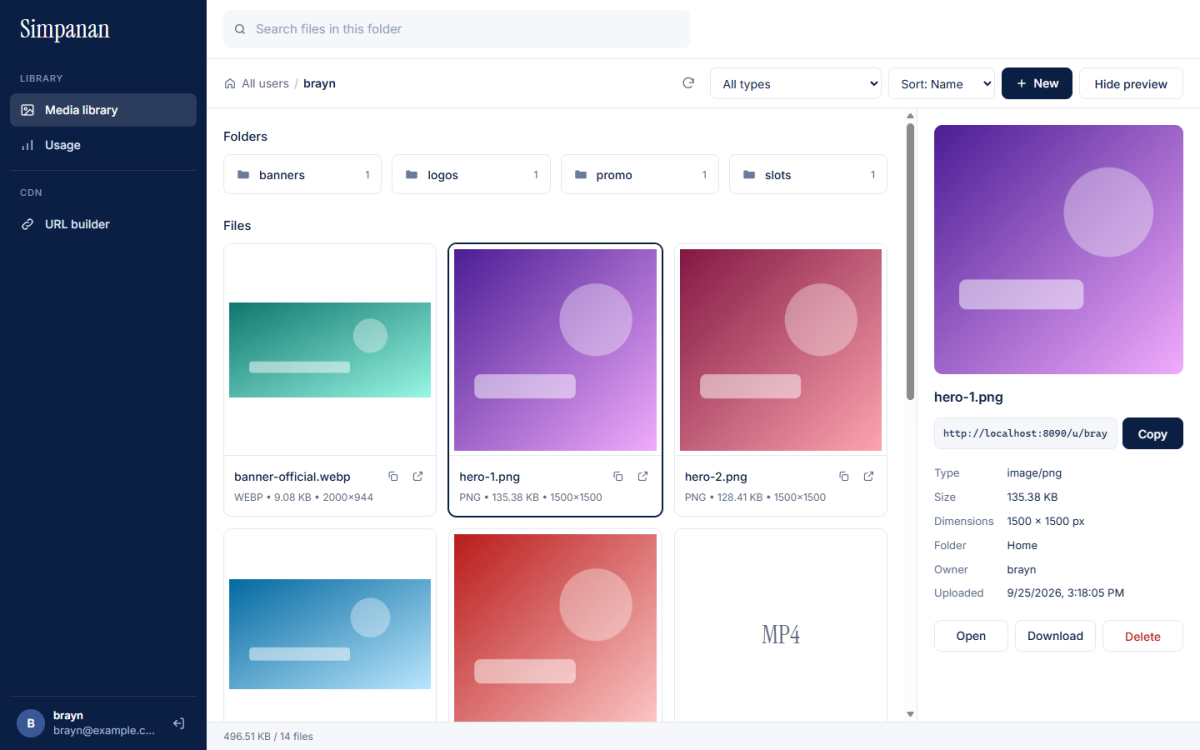
Drag in files or whole folders. Search, sort, preview and copy links in one place.
Videos play and skip ahead, even in Safari. PDFs, audio, fonts and archives are delivered as they are.
Each account has its own file space that other accounts can't see, with a page showing your storage usage.
Passwords are hashed, sessions expire, and uploaded files can't run harmful scripts on the CDN.
How it works
Drop files or folders into your library. They're ready to serve straight away.
Every file gets a permanent link, like /u/you/banner.png.
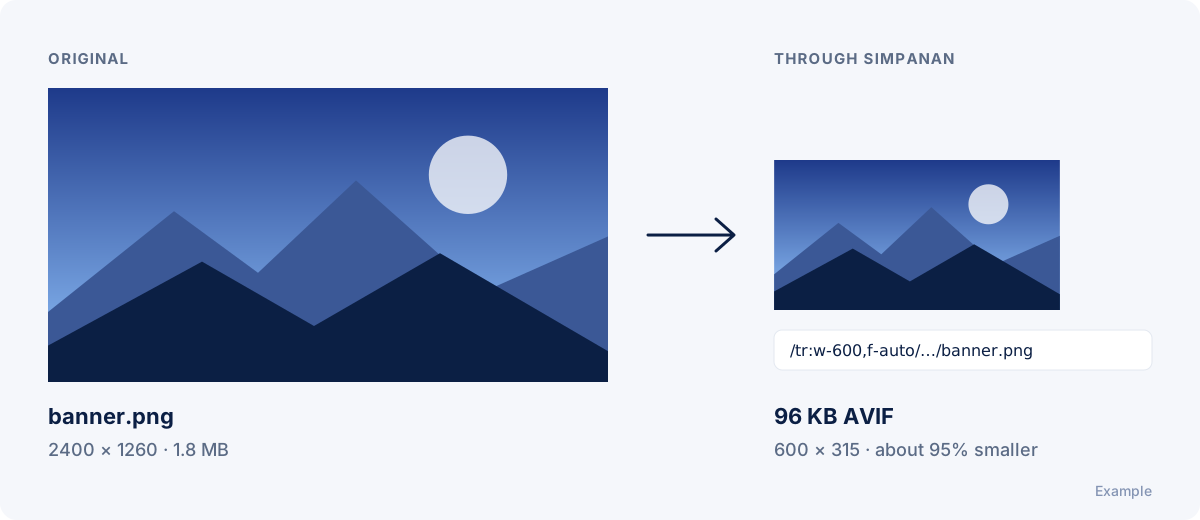
Put /tr:w-600,f-auto in front of the path to get a smaller, sharper version.
Try it
The example uses the screenshot above. Swap in the path of an image from your library, like /u/your-name/photo.jpg.
Your preview appears here.
FAQ
An image CDN stores your images and delivers each one in the size and format the visitor's browser needs, so pages load faster without editing images by hand. Simpanan also keeps a library of your files with folders and search.
Put /tr: and your options in front of the file path. For example /tr:w-600,f-auto/u/you/photo.jpg returns the image 600 pixels wide in WebP or AVIF, whichever the browser supports. Each size is created once and then cached.
Any file up to 500 MB: JPG, PNG, GIF, WebP, AVIF and SVG images, MP4 and other videos, audio, PDF and Office documents, fonts and archives. Images can be resized and converted; other files are delivered exactly as uploaded.
Yes. Every file has a permanent link. Paste it into an img tag, a CSS background, or WordPress's Insert from URL option, and add resize options to the link whenever you need a different size.
Yes. Animated GIFs keep playing and are delivered at their original size. Still GIFs are resized and converted like any other image.
Yes. Each account has a private folder space that other users can't see. The Usage page shows how much storage you use.
Create an account, upload your first files, and paste the links into your site.